
Best Calculator for the SAT: What You Actually Need to Know
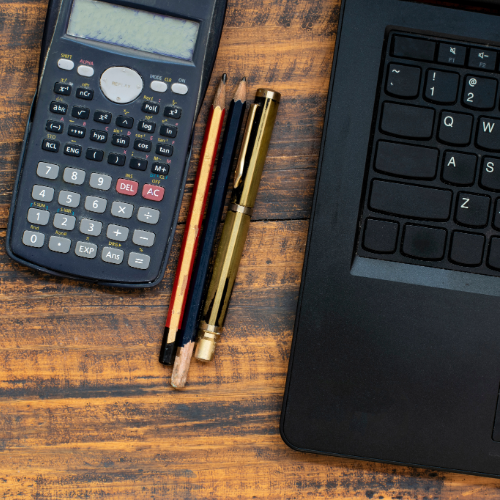
When preparing for the math modules of the SAT, a common question comes up: Which calculator is the best for the SAT? The short answer is, one you know how to use and are familiar with.
Which calculators are allowed on the SAT?
Most calculators are allowed on the SAT math sections and you can check to see if your favorite is on the list using this link. At minimum, the calculator you use should be able to do basic math functions (addition, subtraction, multiplication, and division) along with square roots and exponents. Students and teachers find it useful to have a variety of other functions including converting between fractions and decimals and graphing. This means the cost of a calculator can run anywhere from around ten dollars to $150.
Know your calculator before test day.
Before you go rushing out to spend some money, make sure you know how to use your calculator and are comfortable with it. Every calculator has some small differences, and it can be frustrating when you think the calculator is functioning one way while it is doing something totally different. For example, working with a student this week, we learned that to take the cubed root of a number you must enter 3 followed by 2nd and the root symbol on his calculator. On my calculator you use 2nd, then square root, then 3. Using my method on his calculator will use the previous answer as the power of the root, which can cause huge miscalculations! To avoid this confusion altogether, I typically use the caret symbol with a fraction to take any root that isn't a square root.
Some simplified calculators, much like the one found on an iPhone, will do the math in the order it is typed. Most scientific and graphing calculators follow the order of operations. Even so, you have to be careful about grouping numbers correctly. 5/3-1 is different than 5/(3-1). PEMDAS and the order of operations are important!
What is Desmos and should I plan to use it on the SAT?
There is also a free option built into the digital SAT: Desmos. For those already familiar with Desmos, most of the features you know are available. For those who aren't, you will want to spend some time getting to know it before test day. Desmos is a free, online graphing calculator with some impressive capabilities. Many SAT math questions can be solved in Desmos in just a few moments, while working through them the traditional way still gets the right answer but takes considerably longer. On a timed test, that extra time matters. That said, expecting to walk in on test day and figure out Desmos on the fly is not a good plan. As with any calculator, use one you know. There is an SAT specific Desmos calculator you can practice with online. One of the biggest differences between Desmos and a traditional graphing calculator like a TI? You can graph without solving for “y” first. Game. Changer.
When should you use your calculator on the SAT?
Calculators are a tool, and what they cannot do is tell you which operation to perform. Knowing what information a question is giving you, what is being asked, and how to set up the problem is what the SAT is really testing. That matters far more than which calculator you use. It is also worth noting that sometimes the math is faster done by hand on scratch paper than it is to input into a calculator. Multiplying 5 by 3 in your head is quicker than typing it in, but when your mind is juggling several numbers at once a calculator helps ensure accuracy. Know your strengths and weaknesses, and know when to use your calculator and when to skip it.
Our Recommendation
If you already own a scientific or graphing calculator you know and love, bring it on test day and use it as needed. Also take some time to learn Desmos and figure out which types of SAT questions it is most helpful for. No matter which route you choose, or which combination you use (though I recommend bringing only one physical calculator), the worst thing you can do is show up on test day with a calculator you have never used before.
Quick SAT Calculator Checklist:
Do you know how to take square roots, cube roots, and use exponents on your calculator?
Do you know how your calculator handles the order of operations?
Do you know how to convert between fractions and decimals quickly on your calculator?
Have you used your calculator for math recently? Bonus points if you practiced with it on real SAT problems.
Is your calculator fully charged or do you have fresh batteries?
Have you spent time working with the Desmos SAT calculator?
