A practical, teacher-tested system for notebooks, backpacks, and digital files, built for students juggling classes, test prep, and everything else.
If you've ever watched your teen dump an entire backpack onto the kitchen table hunting for one missing worksheet, you already know: organization isn't something most students are ever actually taught. It's assumed. And for families gearing up for the SAT/ACT season, juggling classes, test prep, and everything else, a little structure can save a lot of stress. Here's what I've learned from the classroom, and what actually works.
Why Organization Isn't Automatic
When I was teaching middle school science, I learned about Interactive Notebooks and fell in love with how they were organized: a table of contents, page numbers, and a system that could be built from any notebook, though composition notebooks held up best when they needed to last all year. Students had their own feelings about the level of expected organization, but all of them survived. I even had a few come back years later to tell me they'd carried the same technique into high school, and it had stuck.
Moving to high school, I saw a lot of "systems" students used to organize their notebooks and folders, and most of them weren't really systems at all, just whatever happened. Students really will pull out any notebook from their bag, open to a random page, take notes, and wonder later why they can't find them. It was frustrating, until I stopped and asked myself: at what grade level do we actually teach students how to organize their notebooks and folders?
It really comes down to whether a teacher happened to show them a technique in the past.
Once I realized that, I stopped feeling bad about pushing students toward interactive notebooks with strict order and page numbers. At the very least, I gave them one method to either adopt or consciously reject.
Not all teachers use notebooks and folders anymore as education leans more digital, though some are working back toward physical materials and fewer screens. I've included both below; if your student is fully digital, feel free to skip ahead to the digital organization tips.
Setting Up Notebooks and Folders
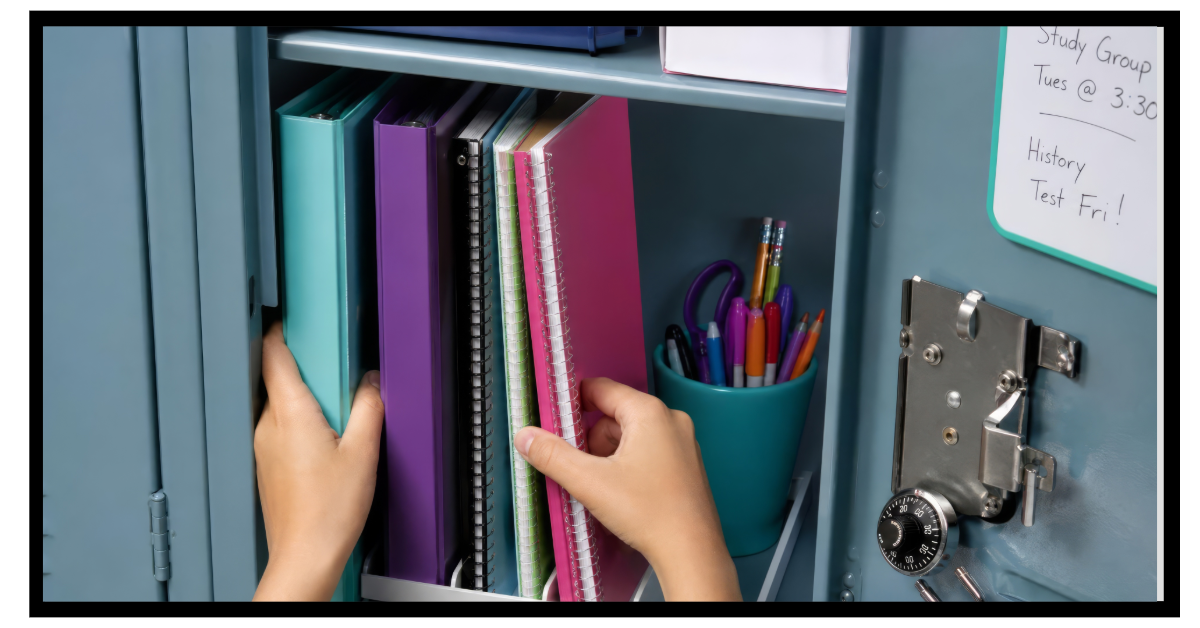
If space in a locker or backpack (and scheduling) allows, I like a unique folder and notebook for each class. It requires more materials, which isn't ideal if students carry everything all day, but it makes a locker stop quick and easy: grab the next course or two and go.
A few tips for making this work:
Color-code the folder to match the notebook so it's easy to grab at a glance.
Put any physical handouts in the folder; keep all notes and assignments in the notebook.
If an assignment needs to be turned in, tear it out of the notebook and store it back in the folder once it's returned. Everything has its place and can be found again.
If assignments are usually completed online, a composition notebook works well. If most work will be handed in, then spiral-bound is best.
For the notebook itself:
Start on the first page and work towards the back. Never skip around.
Use a sticky note as a bookmark so it's easy to find the next blank page.
Title each page with a header: topic and date.
Reserve the first couple of pages as a table of contents. Number every single page (front and back) in the same corner. Be sure to add the topic, date if useful, and record the information in the table of contents as you go.
Notebooks with built-in pockets can be handy for a quick paper at the end of class, but they don't hold much and aren't reliable for long-term storage. Don't count on them as your only system.
When One Notebook per Class Isn't Realistic
If your student doesn't have time for a locker stop every period, or doesn't have a locker at all, multi-subject notebooks are a great alternative. These come with built-in dividers, so each section functions like its own notebook while keeping the total number of items in the bag down.
If folders start to get unruly, a three-ring binder helps: organize folders by class order, then keep the notebook (or a couple of notebooks) for multiple courses. Keep a hole punch at home so any papers that aren't already punched can easily be added.
Alternative: the all-in-one binder
If your student's notes often need to be reorganized or added to, a larger binder can work well: folders as dividers, followed by loose-leaf paper for each course or section. Notes and papers can be rearranged or added to freely throughout the year.
Supporting Your Student's System (Without Taking It Over)
Some students just struggle with organization, and that's okay. They need a system that works for them, even if it's not the one that would work for you. If they can find something when asked, without dumping the whole bag, it's working.
If your student does have to dump the bag to find things, try working with them once a week:
Empty all loose papers from the bag, folders, and binders.
Sort by course, and decide what's still needed (that art project brainstorm from three weeks ago probably isn't).
File each paper in its proper home: folder, binder, or taped into a notebook. Keep a hole punch handy for binders.
Check that folders and binder sections are in the correct order (unit numbers make this easy, if the teacher provides them).
Early on, your student may need more hands-on support, and that's not something to feel bad about. It's a skill they're still learning, like tying their shoes: how many times did you have to show them before it stuck? Frustration doesn't speed up the process, but patience and encouragement do. You're teaching them, not doing it for them.
If they're not sure where to start, help them find a consistent order of steps and repeat it every time. A simple checklist taped inside a binder or notebook can serve as that reminder.
And it's okay if the system needs to change. If something isn't working after a few weeks, that doesn't mean the effort failed, it just means it's time to try a different approach.
Taming the Backpack
Most backpacks come with multiple pockets. Use them intentionally:
Big pocket: binders, notebooks, folders, computer.
Small pockets: pens, pencils, calculators.
No small pockets? A pencil pouch solves that, and keeps writing utensils in one predictable spot, so when it's time to write, there's exactly one place to look.
Art supplies (colored pencils, markers, highlighters) deserve their own separate pouch, apart from everyday pens and pencils.
Personal hygiene items can live in their own small pouch too, for easy grab and go. It's also worth tucking in some hand sanitizer and deodorant, just in case.
Parents can help by doing periodic backpack cleanouts together. Students who struggle with organization may benefit from weekly “clean outs”; others can go monthly, quarterly, or even just at semester. The process looks a lot like organizing binders and notebooks, and tying shoes: teach it, expect it to take longer at first, and stay patient.
Digital Organization
I'll be honest, this is one I'm still personally working on. Digital files are easy to create, easy to use, and very easy to forget about. Those random, unnamed Google Docs? Those are a future Patricia problem, right?
Except when future Patricia remembers she made something useful once and has zero idea where to find it, and the search bar isn't helping because the file name is still "Untitled." Ugh.
I once worked at an engineering firm with thousands of projects, and hundreds of files for each project, all stored on shared servers. Every project had a folder labeled with a unique project number and name, and inside that were consistent subfolders across every project: contract documents, drawings, and so on. That level of nesting isn't necessary for school files, but the core idea holds up well:
One main folder per current course. Number them (01, 02, 03...) so they sort in a useful order. I did this as a teacher with "01 1st Period Physics," "02 2nd Period AP Physics," and so on. It also works if folders sort alphabetically.
Subfolders for each unit. Use the teacher's unit number if one exists; otherwise, number them chronologically (01, 02, 03...).
Not chronological? Put 00 or AA in front of the current folder to keep the most used one at the top of the list, the same trick behind why plumbing companies used to name themselves "AAA Plumbing" in the phone book.
Every assignment should have a folder!
Every file, document, and screenshot should live somewhere tied to its course. (Google Classroom actually helps here automatically, creating and organizing folders in your student's Google Drive.)
Naming Files
If a teacher hasn't given specific naming instructions, encourage this format:
FILE NAMING FORMAT: Assignment Name- Last Name (before the file extension)
If the assignment was posted in Google Classroom or another LMS, use the title exactly as posted.
Example: Assignment posted as "Compare & Contrast: Lions, Tigers, and Bears"
Good: Lions, Tigers, and Bears- Brandenburger.doc
Good: Compare & Contrast, Lions, Tigers, and Bears- Brandenburger.doc
Avoid: Compare & Contrast- Brandenburger.doc (too generic if another compare and contrast assignment comes along later)
At the end of each week, have your student make sure every file has a folder to call home, and do a quick search for "untitled" (or whatever the default file name is) to rename or delete anything left behind.
The Bottom Line
None of this has to be perfect on day one, and it doesn't have to look exactly like what worked for you. The goal is a system your student can actually maintain, one that lets them find what they need without a full bag dump meltdown the night before a test. Start with one small piece, maybe just numbering notebook pages, or a weekly five minute folder check, and build from there. Small, consistent habits now make the busier stretches of junior and senior year, college apps, test prep, everything else, just a little more manageable.